.webp)
Can you use Apple Wallet on a Samsung phone? Short answer, no - here’s what you can do instead
"Digital wallet users worldwide will reach 4.4 billion by 2025." - Source
The reality in 2025
Apple Wallet is not available on Android or Samsung devices. There’s no official Apple Wallet app for Galaxy phones, and .pkpass files can’t be added to Apple Wallet on Android.
Apple Pay and Apple Wallet are tightly integrated with Apple hardware (iPhone/Watch) and iOS. That means no native way to run Apple Wallet on Samsung, despite what third-party “workarounds” might claim.
If you searched “Apple Wallet on Samsung” or “Samsung equivalent of Apple Wallet,” the practical truth is you’ll need to use Android-native wallets to mirror most of the experience.
What you can replicate on Samsung today
Contactless payments:
Samsung Wallet (for Galaxy devices)
Google Wallet (works across most Android phones, including Samsung)
Storage of loyalty cards, tickets, coupons, and memberships:
Most major brands support Google Wallet and/or Samsung Wallet versions of their passes.
Many retailers now distribute Wallet-ready passes by link or QR, so customers can add them in seconds.
Transit cards and boarding passes:
Supported in many regions via Google Wallet and Samsung Wallet, with live updates and reminders where available.
With Loyaltee, retailers can build fully branded digital passes once and distribute them to both Apple Wallet and Google Wallet - so your customers get a native, fast experience whether they’re on iPhone or Samsung.
At-a-glance: the best Apple Wallet Samsung alternatives
Samsung Wallet (best for Samsung owners):
Tap-to-pay with supported cards, store membership/loyalty cards, tickets, transit, and more.
Google Wallet (works across most Android phones, including Samsung):
Broadest Android compatibility; supports payment cards, loyalty, transit, and boarding passes.
Specialist pass apps (for .pkpass files when no Google/Samsung option is provided):
Useful for opening or storing Apple Wallet-style files, but native Google/Samsung Wallet passes deliver better reliability, notifications, and merchant updates.
If you’re evaluating an Apple Wallet Samsung alternative, prioritize native Google Wallet or Samsung Wallet passes. They deliver the closest match to Apple Wallet’s convenience, with better acceptance and updates.
Why this matters for retailers and brands
Wallet passes are a persistent touchpoint in the phone - ideal for loyalty, coupons, and targeted push notifications without forcing an app download.
Build once, deploy everywhere: With Loyaltee, your team can launch branded passes for both Apple and Google Wallet in minutes, trigger timely push notifications, and track real-time engagement to drive measurable repeat visits and higher basket size.
Result: a cost-effective, app-free channel that reaches the full market - iPhone and Samsung users alike - while keeping your brand one tap away at the checkout.
Why Apple Wallet isn’t on Samsung: ecosystem lock-in explained
"Apple Pay is exclusively available on Apple devices and is not supported on non-Apple hardware." - Source
Hardware, OS, and security architecture
Apple Wallet/Pay requires Apple’s Secure Element and iOS/watchOS frameworks to handle tokenization, biometric authentication, and device-bound credentials.
Android uses different APIs, secure elements, and OS-level services; Apple does not ship Wallet on Android, so you won’t see an official Apple Wallet app on Samsung.
This is intentional platform design: Apple controls the full stack - hardware, OS, and services - so Wallet remains iOS/watchOS-only.
Apple Wallet vs Apple Pay - important distinction
Apple Wallet stores passes (loyalty, tickets, keys, IDs), boarding passes, and more.
Apple Pay handles payment tokenization and tap-to-pay on Apple devices via NFC.
Think of Wallet as your digital cardholder, and Apple Pay as the payment engine available only inside Apple’s ecosystem.
What this means for Galaxy users
You can’t install Apple Wallet on Samsung - no supported app, no sideloading workaround.
You can mirror much of the experience with:
Samsung Wallet for Galaxy devices (payments, loyalty, tickets, and passes).
Google Wallet across most Android phones, including Samsung (payments, transit, boarding passes, and memberships).
If you’re searching for “apple wallet on samsung,” the best “apple wallet samsung alternative” is to use native Android wallets. For brands, Loyaltee lets you create one set of digital passes and distribute them to both Apple Wallet and Google Wallet, covering iPhone and the “samsung equivalent of apple wallet” in a single build.
MST note for legacy terminals
Samsung’s Magnetic Secure Transmission (MST) support has been discontinued on newer Galaxy models (since S21). NFC is the standard path forward for tap-to-pay.
What’s the Samsung equivalent of Apple Wallet? (Samsung Wallet vs Google Wallet vs Apple Wallet)
The quick answer
The Samsung equivalent of Apple Wallet: Samsung Wallet (best on Galaxy) and Google Wallet (best for broader Android compatibility). If you’re looking for an Apple Wallet Samsung alternative, these are the two to use.
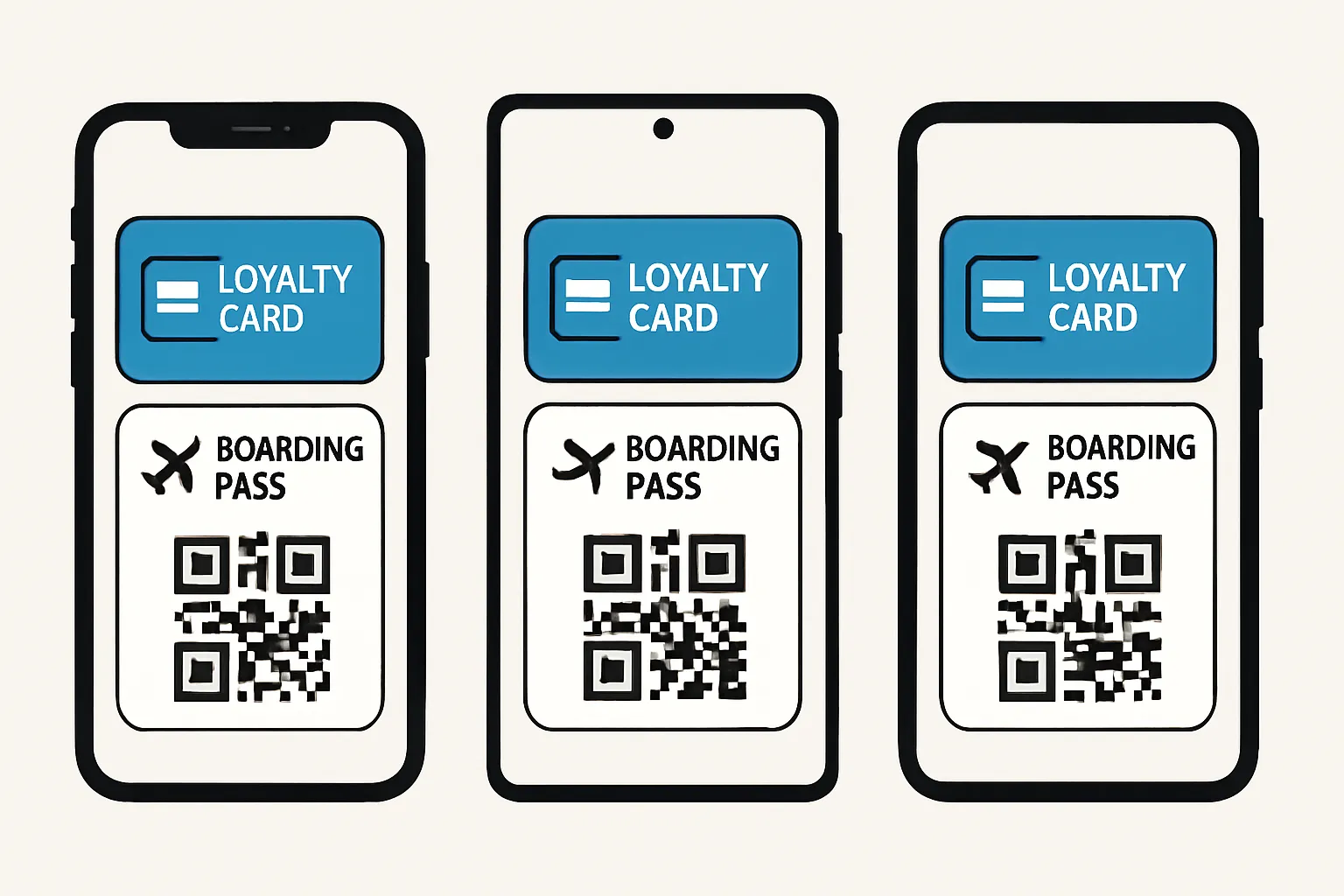
How they line up by capability
Capability | Apple Wallet | Google Wallet | Samsung Wallet |
|---|---|---|---|
Primary role | Digital wallet for passes and keys, with Apple Pay for payments | Digital wallet for passes, with Google Pay for payments | Digital wallet for passes, with Samsung Pay for payments |
Payments | Apple Pay (NFC, device-bound tokenization) | Google Pay (NFC, device-bound tokenization) | Samsung Pay (NFC; MST on select older devices only) |
Pass types supported | Payment cards, loyalty, coupons, boarding passes, event tickets, transit, keys (home/car), IDs (select regions) | Payment cards, loyalty, gift cards, boarding passes, event tickets, transit, IDs (select regions) | Payment cards, loyalty/membership, coupons, boarding passes, transit (select regions), digital keys (select partners), IDs (limited/region-dependent) |
Transit support | Many cities worldwide; varies by region | Broad global coverage; varies by region | Available in select markets; varies by region |
In‑app/online checkout | Apple Pay in iOS apps and Safari (iPhone, iPad, Mac) | Google Pay in Android apps and web checkout | Samsung Pay online where supported by merchants/issuers |
Device compatibility | iPhone, Apple Watch, iPad, Mac | Most Android phones with NFC; Wear OS watches | Samsung Galaxy phones and Galaxy Watch (supported models) |
Notifications & updates | Pass updates, location/time-based alerts, push notifications | Pass updates, reminders, push notifications | Pass updates, reminders, push notifications |
Offline behavior (tap-to-pay) | Limited offline transactions supported; issuer/device dependent | Limited offline transactions supported; issuer/device dependent | Limited offline transactions supported; issuer/device dependent |
Security model | Secure Element + Face ID/Touch ID; device-bound tokens | Secure Element/TEE + biometrics/PIN; device-bound tokens | Samsung Knox + biometrics/PIN; device-bound tokens |
Ecosystem perks | Apple Cash, keys, seamless Apple ecosystem | Integrates with Android/Google services (Maps, Gmail, Assistant) | Integrates with Samsung ecosystem (SmartThings, keys), Samsung Rewards (region) |
Notes: Availability of IDs, keys, and specific transit networks varies by country, device, and issuer. MST is discontinued on newer Galaxy models (S21 and later).
When to use which on a Galaxy device
Use Samsung Wallet if you want deeper Samsung ecosystem features (e.g., keys, Samsung Rewards in supported regions) and strong pass support on Galaxy devices.
Use Google Wallet for the broadest Android acceptance, easiest “works anywhere on Android” setup, and universal add-to-wallet links many brands provide.
Key takeaways
Both Samsung Wallet and Google Wallet can replace most day-to-day Apple Wallet use cases on a Samsung phone, including tap-to-pay, storing loyalty cards, coupons, boarding passes, and many transit passes.
For maximum flexibility on Galaxy, keep both installed: set your preferred payment wallet, and add passes to whichever wallet your brand or issuer supports first.
Top Apple Wallet alternatives on Samsung: best app for each use case
Everyday payments and passes
Google Wallet: broad Android availability, universal add-to-wallet links from many brands, strong transit/boarding pass support.
Samsung Wallet: Samsung-first features and ecosystem integrations (Galaxy Watch, SmartThings), robust pass storage and payments on Galaxy.
When you have a .pkpass file link
Prefer “Add to Google Wallet” if the brand offers it (often alongside Apple Wallet).
If only a .pkpass is provided with no Android option, use a reputable pass app that supports .pkpass imports so you can store and scan the pass on your Samsung device.
Specialty and regional options
Transit apps: Many agencies let you add transit cards directly into Google Wallet or Samsung Wallet.
Airlines and event platforms: Increasingly push boarding and event passes to Google Wallet/Samsung Wallet for live updates and reminders.
Best app by task: quick-use matrix
Task | Best Android option | Alternative/fallback | Notes |
|---|---|---|---|
Tap-to-pay in stores | Google Wallet (Google Pay) | Samsung Wallet (Samsung Pay) | Both use NFC; choose your default based on device and issuer support. |
Boarding passes | Google Wallet | Samsung Wallet | Most airlines support Google Wallet; Samsung Wallet also supported in many regions. |
Loyalty/coupons | Google Wallet | Samsung Wallet | Brands often provide universal links for Google Wallet; both support barcode/QR scanning at POS. |
Memberships (gyms, clubs) | Google Wallet | Samsung Wallet | Check issuer link; either wallet works for card-style memberships. |
Transit cards/passes | Google Wallet | Samsung Wallet | Coverage varies by city; add directly from the transit app when available. |
Event tickets | Google Wallet | Samsung Wallet | Ticketing apps frequently push to Google Wallet; Samsung Wallet also widely supported. |
.pkpass-only scenarios | Supported third‑party pass app | - | Use only when the issuer doesn’t offer “Add to Google/Samsung Wallet.” |
What most users should do
Set either Samsung Wallet or Google Wallet as your default for payments and everyday passes.
Add passes using the brand’s “Add to Google Wallet” or “Add to Samsung Wallet” link whenever offered.
Use a dedicated pass‑import app only when a brand doesn’t support Android wallets natively.
Pro tip for retailers and brands: With Loyaltee, create a single, fully branded digital pass and distribute it to both Apple Wallet and Google Wallet - so your customers get a native, high‑engagement experience whether they’re on iPhone or Samsung.
Workarounds: importing Apple Wallet (.pkpass) passes on Samsung
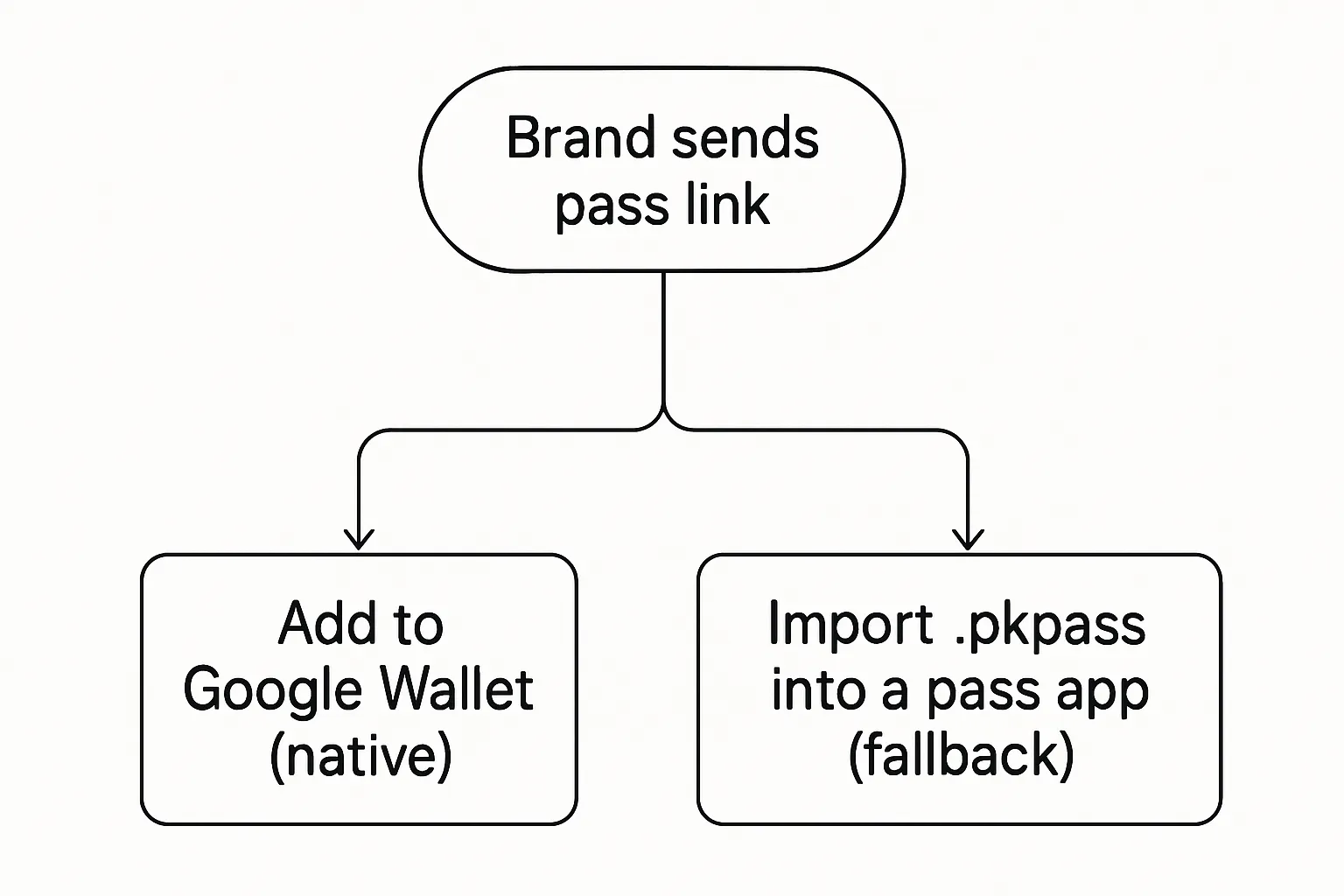
Before you start
Check if your email/SMS has an “Add to Google Wallet” button - use it if available.
If you only received a .pkpass file, download it to your Samsung device.
Option A: Add to Google Wallet (preferred)
Many brands publish passes compatible with Google Wallet; tapping the link opens Google Wallet with one-tap add.
Pros: native updates, lock-screen access, notifications.
Option B: Import .pkpass into a pass app
Use a trusted pass app to import .pkpass when no Android Wallet option exists.
Caveats: updates may be limited; dynamic fields might not refresh; notifications can vary by app.
Keeping passes current
If your pass changes (tier, points, gate), favor brand flows that support Google Wallet - they can push updates to your pass.
Security note
Only open pass files/links from trusted brands. Avoid sideloaded APKs from unknown sources.
For brands and marketers: designing cross-platform Wallet passes that ‘just work’ on Samsung and iPhone
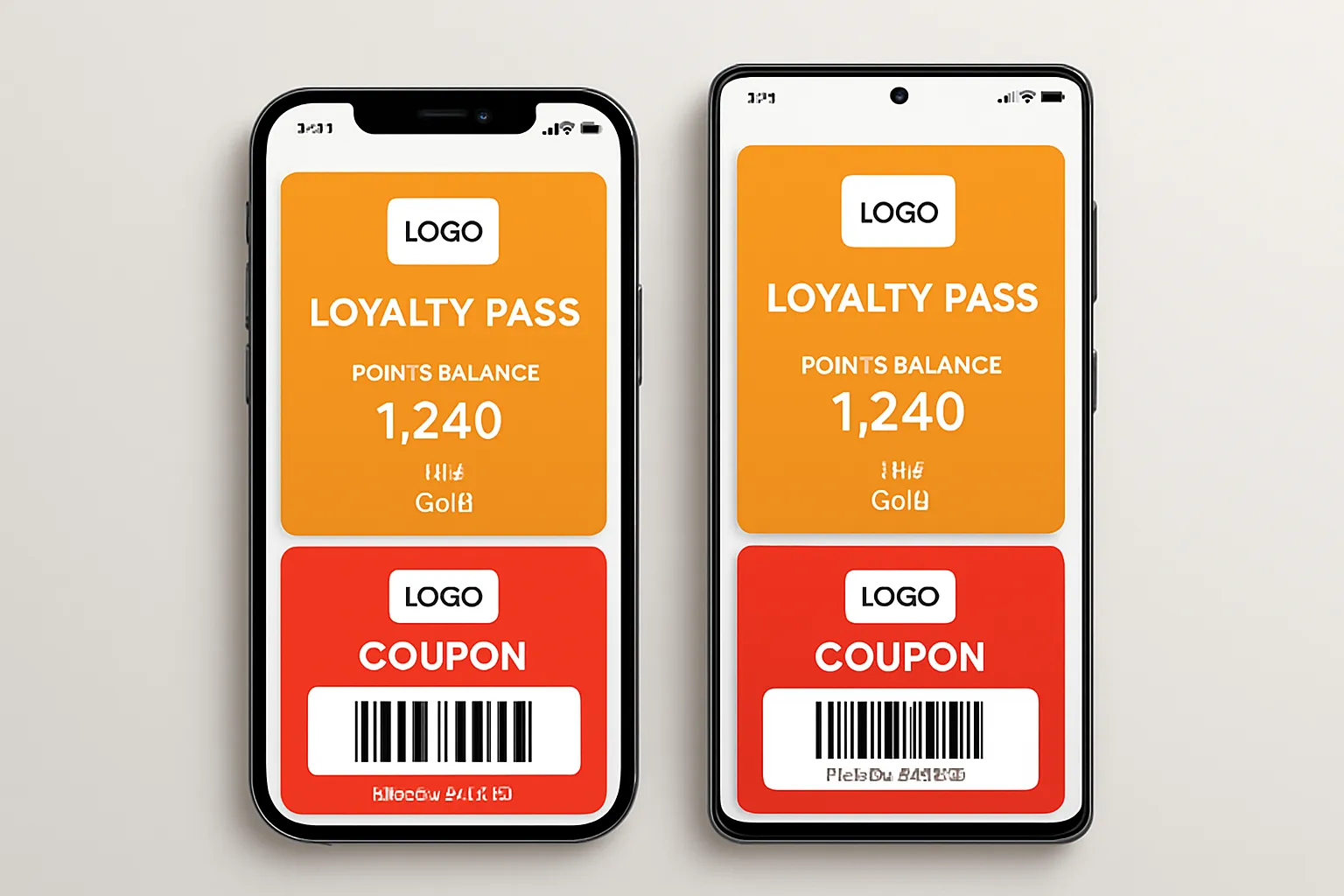
Build once, deploy to both Wallets
Create loyalty cards, coupons, vouchers, and memberships for Apple Wallet and Google Wallet together so customers on iPhone and Samsung get the same, consistent experience.
Ensure dynamic fields (points, status, expiry) and smart barcodes/QRs stay in sync across devices. Use issuer fields and templates that map cleanly to both Wallets.
Make Wallet your direct channel
Use timely push notifications for offer drops, reminders, geofenced nudges, and tier milestones instead of one-size-fits-all email blasts.
Treat the pass as a living profile: segment by behavior, recency, frequency, and location to deliver relevant nudges that convert.
Data, measurement, and ROI
Track adds, active passes, scans, redemptions, and repeat visits by store/location to understand lift and optimize.
Automate lifecycle journeys: sign-up → first visit → second purchase → reactivation → tier upgrades, with triggered offers and expiry reminders.
Integrations and governance
Connect POS, CRM, and CDP for real-time updates to balances, tiers, and offers. Use APIs/webhooks to update pass fields and send push notifications.
Respect regional Wallet rules and consent for notifications, IDs, and data usage. Keep barcodes/QR formats compliant with your POS and use device-bound tokens where applicable.
With Loyaltee, teams build fully branded passes once and distribute to both Apple and Google Wallet in minutes - complete with dynamic fields, APIs for updates, and measurable push campaigns that drive repeat visits and higher basket size.
Security and privacy on Samsung vs Apple Wallet: what shoppers and brands should know
"Apple Pay is accepted at more than 90% of U.S. retailers." - Source
How tap-to-pay is secured
Tokenization and Secure Element:
Apple Pay stores network tokens in a Secure Element and authorizes with Face ID/Touch ID.
Google Wallet/Samsung Wallet store device-bound tokens leveraging a Secure Element or trusted execution environment; Samsung adds Knox hardening.
Strong user authentication:
Payments require biometrics or PIN; credentials are never shared with merchants.
Lost device protection:
Remote lock/wipe via Find My (Apple) or Find My Device/Find My Mobile (Android/Samsung) disables wallet payments and secures your account.
Pass security and updates
Signed passes:
Apple Wallet passes (.pkpass) are signed; Google/Samsung Wallet objects are issued by verified developers, reducing tampering risks.
Server-driven updates:
Changes (points, tiers, gate changes, expiry) are pushed from issuer backends to Wallet, keeping the pass current without user action.
Keep it clean:
Avoid installing unknown apps or sideloaded APKs to “manage” passes. Stick to native Wallet apps and trusted issuers.
Practical guidance
Keep OS and Wallet apps updated for the latest security patches.
Enable screen lock and biometrics; require authentication for payments.
Prefer brand-issued “Add to Google Wallet” or “Add to Samsung Wallet” links/QRs to ensure valid, updatable passes.
Review Wallet permissions and notification settings to balance convenience with privacy.
Acceptance and coverage realities
NFC is the standard for new terminals; MST on Galaxy is largely retired on newer models (S21 and later).
Merchant acceptance for mobile wallets is strong and growing globally, and already widespread in the U.S. - making tap-to-pay with Samsung Wallet/Google Wallet a practical Apple Wallet alternative on Samsung devices.
Step‑by‑step setup on Samsung: payments, passes, and transit
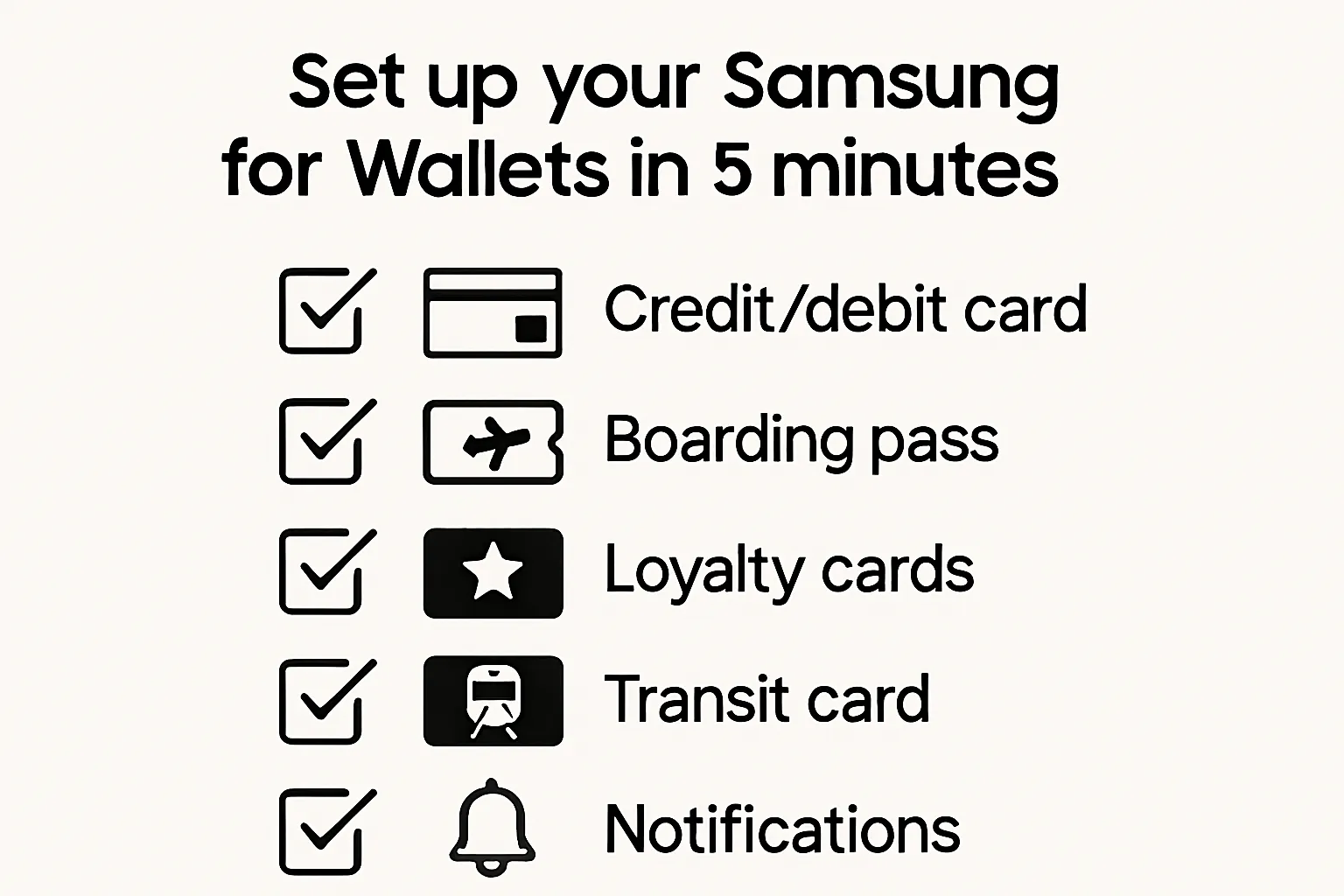
Payments
Choose your default: Samsung Wallet or Google Wallet.
Add your debit/credit card; verify with your bank (SMS, app, or call); set device lock with biometrics or PIN.
Test a small tap-to-pay purchase to confirm everything works.
Passes and loyalty
Add via email/SMS links, QR codes at checkout, brand app flows, or website buttons (Add to Google Wallet / Add to Samsung Wallet).
Enable notifications for updates and offers so passes refresh with points, tiers, or gate changes.
If you only have a .pkpass file and no Android option, import via a trusted pass app.
Transit and tickets
Check your city/agency in Google Wallet or Samsung Wallet support pages; add transit cards from the agency app or directly in Wallet where available.
Save boarding passes from airline emails/apps straight to Wallet for reminders and gate updates.
Turn on Express/Quick access features if supported to speed up gates.
Pro tips
Star/pin your most‑used pass for faster access.
Add a Wallet shortcut to Quick Settings or the lock screen, and use widgets for one‑tap scanning at checkout.
Troubleshooting and FAQs: Apple Wallet on Samsung, bank support, and pass issues
Common issues
“Add to Wallet” link doesn’t open
Update Google Wallet/Samsung Wallet and your browser.
Open from your Samsung phone (not desktop); avoid copying via work email clients that strip links.
Try a different browser; disable aggressive content blockers; tap and hold to “Open in app.”
Bank not supported
Check your issuer’s supported wallet list and region; some prepaid/corporate cards aren’t eligible.
Verify your card in the bank app if prompted; ensure device lock (PIN/biometrics) is enabled.
Try another eligible card, or switch to the other wallet (Google Wallet vs Samsung Wallet).
Pass won’t update (points/tier/gate)
Ensure notifications are on for your Wallet app; allow background refresh/data.
Remove the old pass and re-add using the brand’s latest “Add to Google Wallet/Samsung Wallet” link.
Avoid battery optimization for the Wallet app if updates arrive late.
Tap‑to‑pay fails at terminal
Confirm NFC is on; set your default wallet in Settings.
Tap the NFC hotspot (usually top back of the phone); remove thick/metal cases or MagSafe plates.
Try again after unlocking with biometrics; if declines persist, contact your bank for token provisioning.
Duplicate or expired passes
Delete older duplicates; re-add from the brand’s newest link so you get updates.
.pkpass file won’t open on Android
If the brand doesn’t provide an Android wallet link, use a reputable pass app that supports .pkpass imports.
Make sure the file remains “.pkpass” and isn’t renamed by your email client.
FAQs
Can I install Apple Wallet APK on Samsung?
No. Apple Wallet isn’t available on Android. Avoid third‑party APKs claiming to enable “Apple Wallet on Samsung.”
Does Samsung still support MST?
Not on newer Galaxy models (S21 and later). Rely on NFC tap‑to‑pay going forward.
Are .pkpass files safe on Android?
Yes - if they come from trusted issuers. Prefer native “Add to Google Wallet” or “Add to Samsung Wallet” links for real‑time updates and notifications.
Which is better on Galaxy: Samsung Wallet or Google Wallet?
Both are strong. Use Samsung Wallet for Galaxy-first integrations; use Google Wallet for the broadest Android acceptance and universal add‑to‑wallet links. Many users keep both installed and set a default for payments.
Why won’t my bank card add to my wallet?
The issuer or card type may be unsupported in your region, or additional verification is needed. Enable device lock, try adding via your bank’s app, or contact your bank to approve tokenization.
My transit or ticket barcode doesn’t scan - what now?
Increase screen brightness; switch to the alternate barcode/QR format if provided; ensure the pass hasn’t expired; re‑download from the airline/event/transit app.
Is there any way to use Apple Wallet on Samsung?
No native Apple Wallet on Android. The practical Apple Wallet Samsung alternative is to use Google Wallet and Samsung Wallet for payments, loyalty, coupons, boarding passes, and transit.
Tip for brands: to avoid “.pkpass‑only” headaches on Samsung, publish Add to Google Wallet/Samsung Wallet links. Platforms like Loyaltee let you build once and distribute native, updatable passes across Apple and Google Wallet - so customers on iPhone and Samsung get the same seamless experience.
Conclusion: Get an Apple‑Wallet‑like experience on Samsung - and give your customers the same with Loyaltee
You can’t run Apple Wallet on a Samsung phone, but you can match the functionality with Samsung Wallet and Google Wallet for payments, loyalty, tickets, and transit. For most users, these are the best Apple Wallet Samsung alternatives and the practical “Samsung equivalent of Apple Wallet.”
For consumers: set one Wallet as your default, add passes from trusted brand links (Add to Google Wallet/Add to Samsung Wallet), and keep notifications on for real‑time updates.
For brands: build cross‑platform Wallet passes once and turn them into a measurable, high‑ROI channel that works across iPhone and Galaxy - no app required.
Call to action
Loyaltee lets you design fully branded Apple and Google Wallet passes, push targeted notifications, and measure real revenue impact - without building an app. Get started today at https://loyaltee.xyz/