.webp)
Can You Use Google Wallet on iPhone? The 2025 quick answer
"Digital wallet transactions will surpass $16 trillion globally by 2028." - Source
If you’re wondering whether Google Wallet works on Apple devices in 2025, here’s the bottom line: you can’t use Google Wallet (or Google Pay) for in‑store tap‑to‑pay on iPhone or Apple Watch. Apple restricts NFC payments on iOS and watchOS to Apple Pay. You can still use Google accounts for online and in‑app checkout inside Google apps and Chrome on iPhone, but that’s different from tapping your phone at a terminal. In short, “Google Wallet on Apple” is about pass storage and online payments - not NFC at the point of sale.
The TL;DR
You cannot use Google Wallet (or Google Pay) for tap-to-pay on an iPhone. Apple restricts NFC payments on iOS to Apple Pay.
What works on iPhone: Apple Pay for tap-to-pay; Apple Wallet for storing passes. Google services still work for online and in‑app payments via Google accounts in Chrome/Google apps, but not for NFC in-store.
On Apple Watch, only Apple Pay supports tap-to-pay. There is no Google Wallet/Pay for watchOS.
The Google Pay iOS app remains region-limited and does not enable NFC payments on iPhone.
Why this matters for businesses
If your audience uses iPhone, the native path is Apple Wallet for passes and Apple Pay for checkout.
If you operate on both iOS and Android, design a dual-wallet strategy: Apple Wallet for iOS, Google Wallet for Android - delivered from one link or QR.
Loyaltee makes this simple: create one branded pass, distribute a single smart link/QR, and we automatically route customers to Apple Wallet or Google Wallet based on their device - while giving you real-time data and measurable results.
What’s changed since last year
Google consolidated consumer payments around Google Wallet (Android) and web (pay.google.com), and sunset the US Google Pay app in 2024.
Apple continues to control NFC on iOS; EU changes are in motion (details next section), but tap-to-pay via Google on iPhone isn’t available to consumers as of 2025.
For marketers, the practical playbook remains: Apple Wallet + Apple Pay on iPhone, Google Wallet on Android - optimize both from one pass program to capture the full market.
What actually works on Apple devices in 2025 (iPhone, Apple Watch, iPad/Mac)
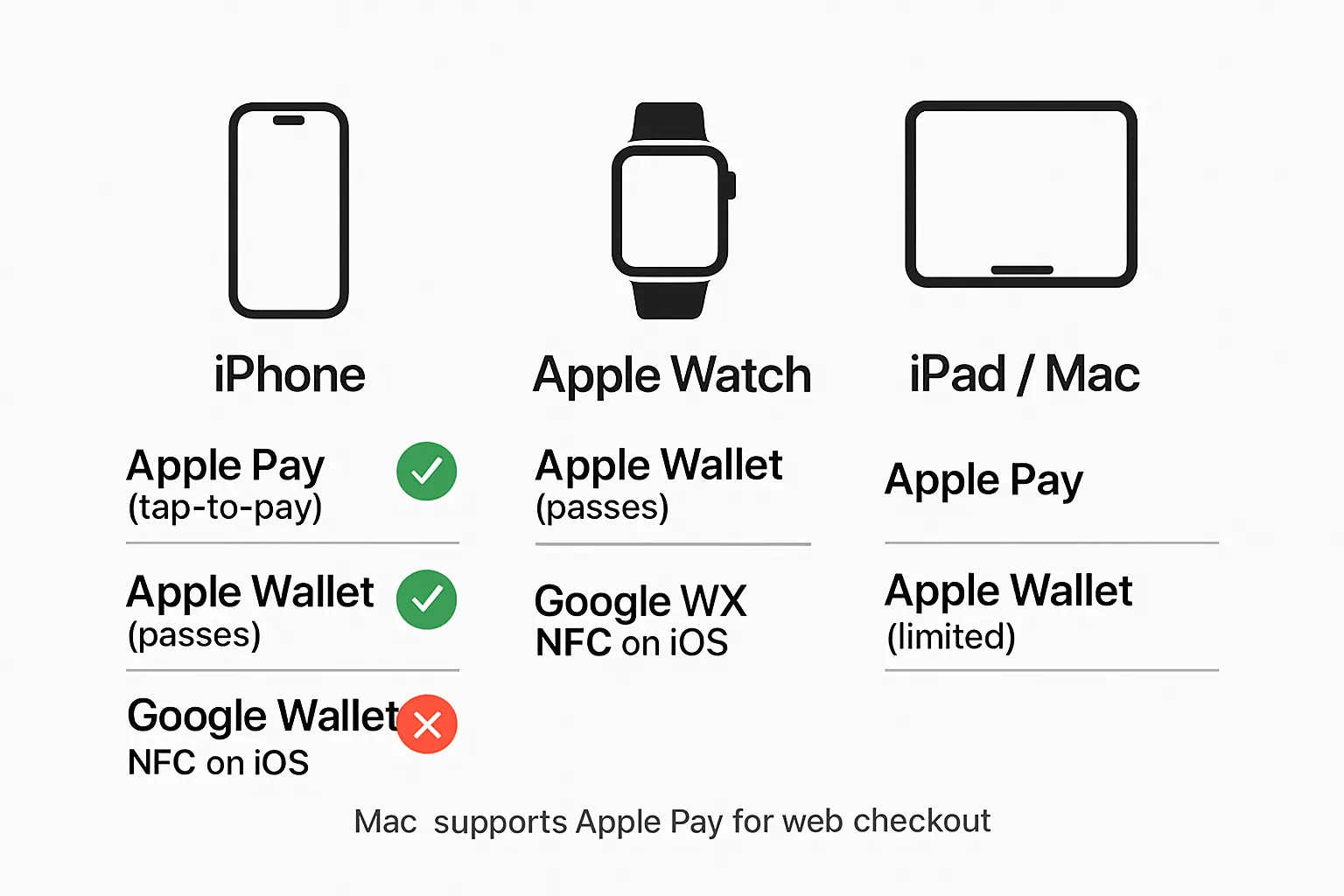
iPhone
Tap-to-pay in stores: Apple Pay only.
Store and present passes: Apple Wallet (loyalty, coupons, tickets, memberships, transit where supported).
Online/in‑app payments: Google accounts can still be used where supported (e.g., Chrome autofill, some apps), but not for in-store NFC.
Apple Watch
Tap-to-pay: Apple Pay only.
Pass presentation: Apple Wallet passes can be shown/scanned from the Watch in supported scenarios (loyalty barcodes, tickets, access control).
iPad and Mac
No tap-to-pay on iPad. Apple Wallet on iPad is limited; payments are primarily online/in-app via Apple Pay on supported sites/apps.
Mac supports Apple Pay for web checkout via Safari (and via iPhone/Watch authentication on compatible setups).
Regional and regulatory notes
"In July 2024, the European Commission accepted legally binding commitments from Apple to open iPhone NFC access to third‑party mobile wallet developers within the EEA; consumer availability depends on implementation." - Source
EU/EEA developments about third-party NFC access are progressing, but there’s no consumer-ready Google tap-to-pay on iPhone as of 2025.
For planning: assume Apple Pay remains the only in-store NFC wallet on iPhone in 2025, even in the EU, unless your PSP and wallet vendor confirm otherwise.
Tip for teams running both ecosystems: With Loyaltee, publish one smart link or QR and route users to Apple Wallet on iOS and Google Wallet on Android, while measuring engagement and redemptions across both.
Google Pay vs Google Wallet on iPhone: availability and the 2025 feature matrix
Google Pay vs Google Wallet (what’s the difference?)
Google Wallet: Android’s default wallet for tap-to-pay and storing passes.
Google Pay: Brand used across regions for payments; on iOS it has limited availability (e.g., India/Singapore), and does not enable NFC tap-to-pay on iPhone. If you’re searching for “Google Wallet on Apple,” note there’s no Google Wallet app for iOS enabling in‑store NFC.
iOS reality check in 2025
There is no Google Wallet app for iOS that enables NFC in-store payments.
The Google Pay iOS app, where available regionally, supports account management and P2P/online functionality only - no tap-to-pay.
Practically: for iPhone customers, Apple Pay handles NFC; Apple Wallet stores passes. “Google Wallet for Apple” isn’t an NFC solution.
Feature matrix (high level)
iPhone: Apple Pay for NFC; Apple Wallet for passes.
Android: Google Wallet for NFC + passes.
Apple Watch: Apple Pay only.
"Apple Pay is accepted at over 85% of retailers in the U.S." - Source
2025 feature compatibility matrix
Feature | Apple Wallet/Pay on iPhone | Google Pay on iPhone (region-limited) | Apple Watch |
|---|---|---|---|
In-store tap-to-pay | Yes: Apple Pay NFC with Face ID/Touch ID | No: No NFC on iOS via Google | Yes: Apple Pay NFC on watchOS |
Store passes (loyalty/tickets/coupons) | Yes: Apple Wallet (.pkpass), lock-screen suggestions | No Google Wallet on iOS; use Apple Wallet for passes | Yes: Show/scan Wallet passes on Watch (where supported) |
P2P payments | Apple Cash (US) via Wallet/Messages | Region-limited (e.g., India UPI, Singapore PayNow); no NFC | Not supported directly; use iPhone |
Online/app checkout | Yes: Apple Pay in apps and Safari | Limited: Google account checkout in some apps/sites; no NFC | N/A |
Wearable support | Pairs with Apple Watch for Apple Pay | No Google Wallet/Pay for watchOS | Apple Pay and pass display; no Google Pay |
Why acceptance matters
Contactless terminals widely accept Apple Pay in the U.S. and globally, so your iPhone customers expect Apple Pay and Apple Wallet flows.
For maximum reach, implement dual-wallet distribution: Apple Wallet for iOS and Google Wallet for Android. Loyaltee lets you publish one smart link/QR that routes customers to the right wallet automatically - while tracking installs, redemptions, and revenue impact.
What you can still do with Google on iPhone (and the right way to handle passes)
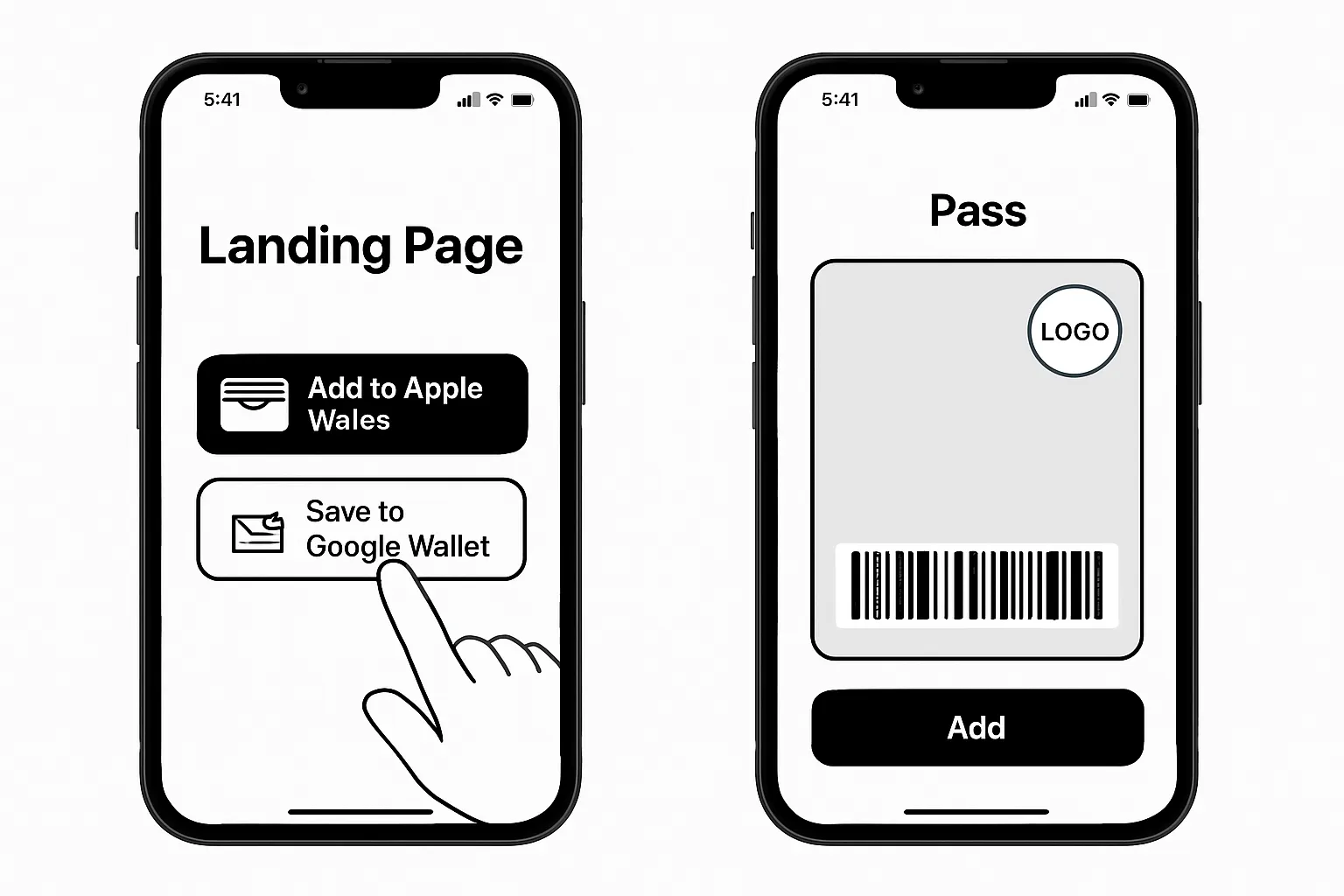
Use Google to pay online on iPhone
In Chrome or supported apps, sign in to your Google account to access saved cards for web/app checkouts.
For in-store NFC on iPhone, use Apple Pay.
Handling loyalty cards, tickets, and coupons on iPhone
If your link shows “Save to Google Wallet,” an iPhone user should be offered an “Add to Apple Wallet” alternative.
Best practice: provide a single smart link/QR that routes iOS to Apple Wallet (.pkpass) and Android to Google Wallet.
Migrating from Android to iPhone
Reissue passes to Apple Wallet via email/SMS/QR. Some Google Wallet passes can be re-added from your brand’s portal or via your wallet provider.
For P2P or Google Pay-specific features, check regional availability - US Google Pay app was sunset in 2024.
"Effective June 4, 2024, the U.S. Google Pay app was discontinued; users were directed to Google Wallet for in‑store payments on Android and to pay.google.com for account management." - Source
Apple Watch realities: What works with Wallet on your wrist
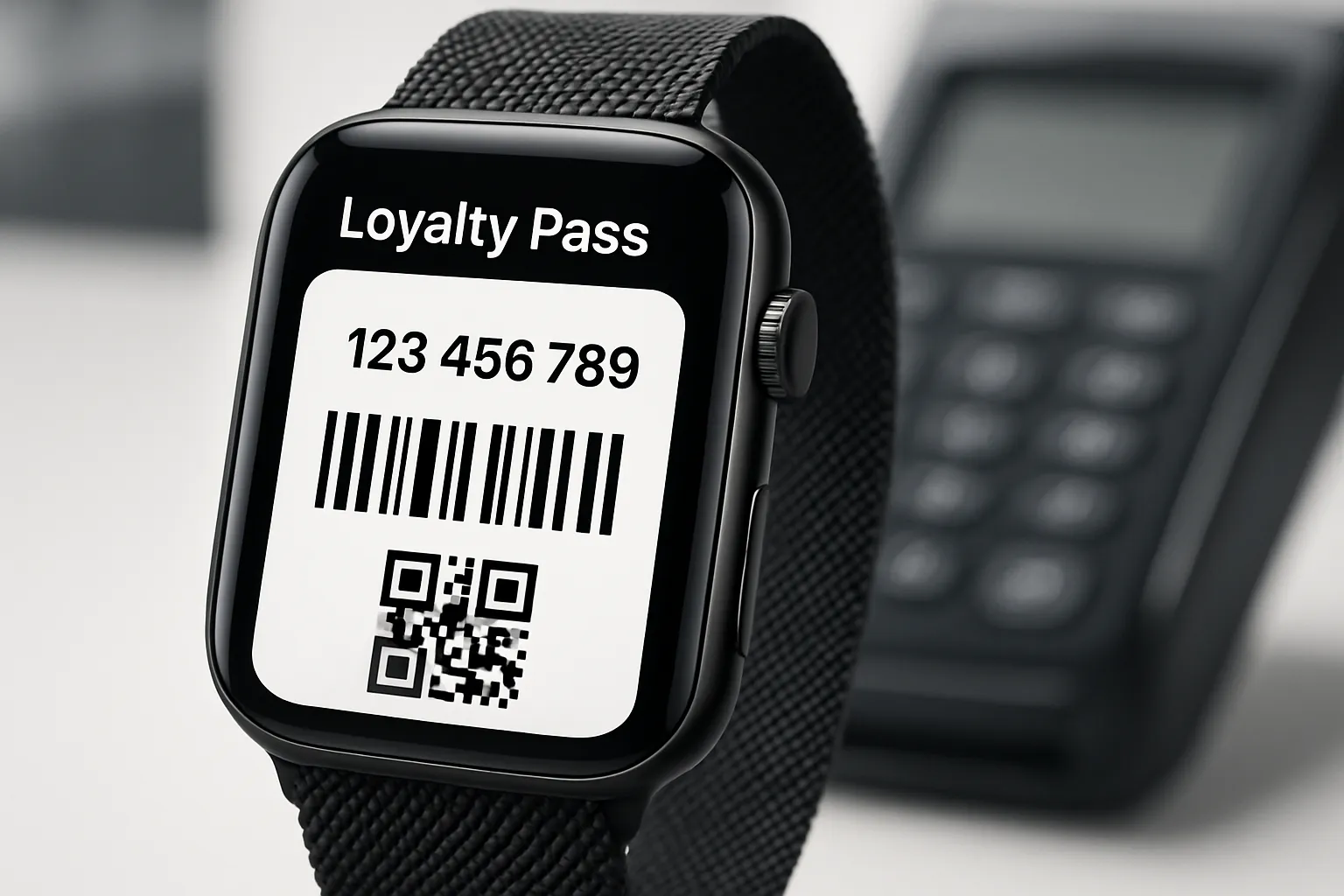
Tap-to-pay on Apple Watch
Apple Pay only. There is no Google Wallet/Pay for watchOS.
Loyalty and tickets on Apple Watch
Apple Wallet passes with barcodes/QR can be displayed on the Watch for quick scans at POS, events, gyms, transit (where supported).
Practical tip
Encourage customers to add their pass to both iPhone and Apple Watch for faster retrieval and higher redemption.
For retailers and brands: The winning iPhone strategy in 2025
Design for Apple-first on iOS, Google-first on Android
Issue Apple Wallet passes to iPhone users; issue Google Wallet passes to Android users - from one orchestrated campaign.
Treat “Google Wallet on Apple” as a misnomer for NFC; on iPhone, Apple Pay and Apple Wallet are the path to conversion and retention.
One link, two paths
Use device detection to route users to the correct wallet add flow. Reduce confusion and drop-off by avoiding platform-specific dead ends.
Loyaltee’s smart links automatically deliver Apple Wallet on iPhone and Google Wallet on Android, so you never lose customers at the last step.
Engage post-add
Use lock-screen surfacing, location triggers, and targeted pass updates to drive return visits and higher basket size.
Schedule lifecycle nudges (new member welcome, win-back at 30 days, local store promos) directly to the pass - no app required.
Measure what matters
Track installs, active passes, redemptions, and revenue influence by location and cohort. Optimize offers via A/B tests.
Connect pass events to your POS/CRM to attribute uplift from Apple Wallet and Google Wallet campaigns.
Distribution channel vs experience (iPhone vs Android)
Channel | iPhone (Apple Wallet result) | Android (Google Wallet result) | Best-practice tip |
|---|---|---|---|
“Add to Apple Wallet” opens native .pkpass preview with one-tap Add | “Save to Google Wallet” opens native Google Wallet add flow | Use deep links that detect device and render the correct button first; include the alternate option secondary | |
SMS | Tap link opens Apple Wallet preview for instant add | Tap link opens Google Wallet add on supported devices | Keep URLs short; add store name and a clear CTA to boost tap-through at POS |
QR at POS | iPhone camera scans QR and downloads .pkpass into Apple Wallet | Android scans QR and opens Google Wallet add screen | Print one QR that routes by device; show “Add to Apple Wallet / Save to Google Wallet” on the confirmation page |
Web landing page | Detect iOS and show Apple Wallet button by default | Detect Android and show Google Wallet button by default | Include both buttons with smart ordering; provide a brief line on benefits (earn points, instant offers) |
Social link-in-bio | iOS users see Apple Wallet as primary action | Android users see Google Wallet as primary action | Use UTM tags per platform; A/B test copy (“Add in 2 taps” vs “Save and earn now”) to improve conversion |
Pro tip: With Loyaltee, you can launch a single, branded campaign that automatically routes users to Apple Wallet on iPhone and Google Wallet on Android - while measuring installs, redemptions, and incremental revenue across locations.
Security and privacy on iPhone: what to know when planning your wallet program
Tokenization and on-device security
Apple Pay uses a Device Account Number (token) stored in the Secure Enclave; the real card number is never shared with merchants or stored on Apple servers.
Every transaction requires device-level authentication (Face ID, Touch ID, or passcode) plus a dynamic, one‑time security code - mitigating replay and skimming risks.
Practical tip: Educate staff and customers that Apple Pay transactions do not expose PANs; this reduces chargeback disputes and improves checkout trust.
Pass data handling
Apple Wallet stores passes locally and refreshes them via signed updates. Treat the pass like a presentation layer - not a customer database.
Use tokenized identifiers on passes (e.g., a short alphanumeric member ID) and perform lookups server‑side to retrieve PII and balances at scan time.
Minimize on-pass data: avoid DOB, email, phone, or full names. Display only what is needed operationally (e.g., tier, points, expiration).
Secure your update pipeline: rotate signing certificates, verify webhooks, and rate‑limit endpoints that serve .pkpass files. Log every changeMessage/update with timestamp, actor, and payload diff.
Location and proximity features (lock‑screen surfacing, beacons) should be value-led and respectful: explain why you use them and allow easy opt-outs.
Compliance
Design for GDPR/CCPA from day one: explicit consent for notifications, location cues, and marketing personalization. Keep consent records tied to a user ID, not the pass itself.
Honor data subject requests (access/erase) with documented SLAs. Build automated workflows to remove or invalidate passes upon deletion requests and purge linked profile data per retention policy.
Maintain audit trails for installs, updates, redemptions, and revocations by location and staff role. This supports both governance and ROI analysis.
Apply least-privilege access for your teams; use SSO and role-based permissions for marketing, operations, and support.
Encrypt data in transit and at rest, segregate environments, and prefer vendors with SOC 2-type controls and clear data residency options.
For dual-ecosystem programs (Apple Wallet on iPhone, Google Wallet on Android), apply the same privacy posture across platforms and keep your consent/UI copy consistent to avoid confusion.
Implementation blueprint: Launch a dual-wallet program with Loyaltee
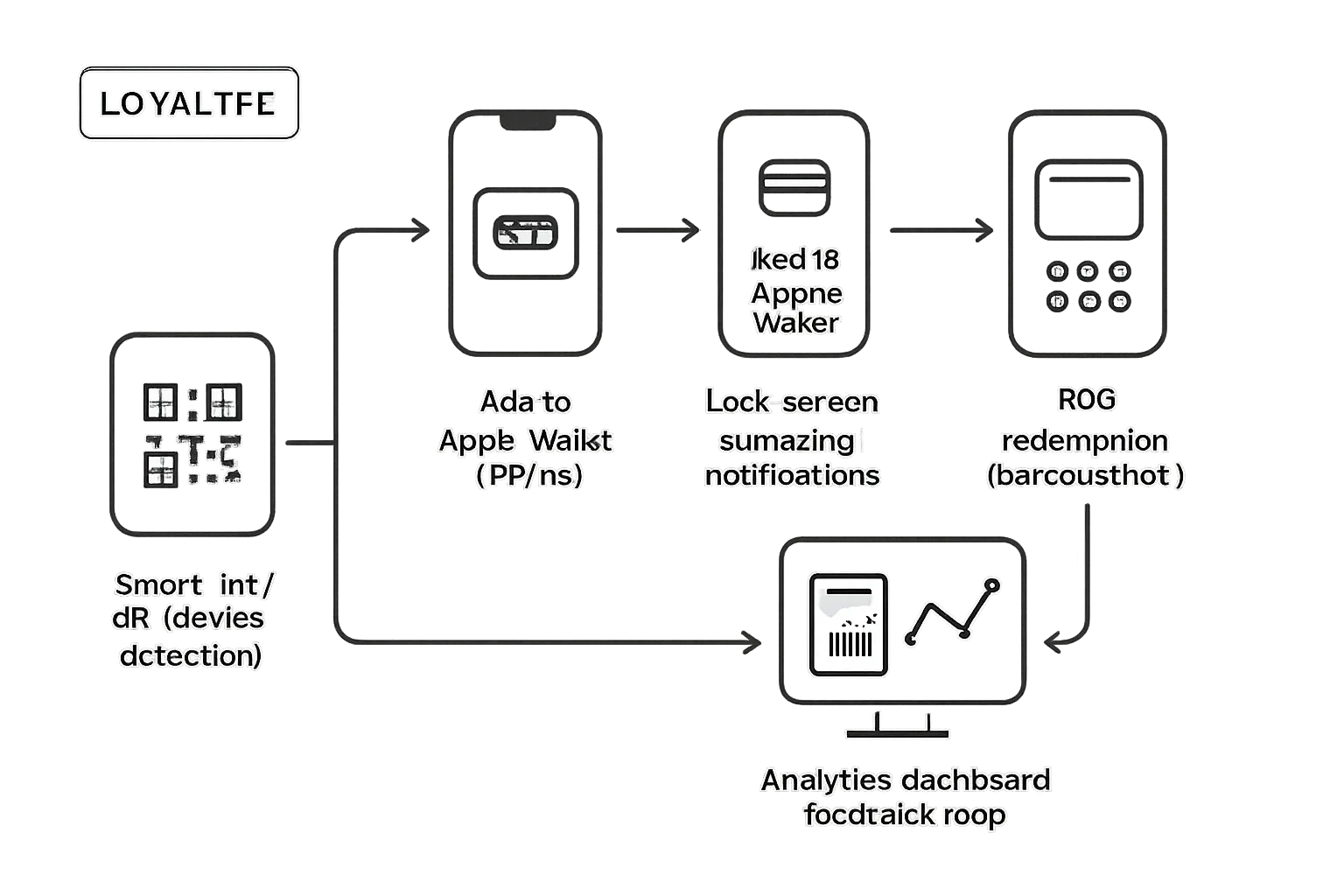
Step 1: Create branded templates (Apple + Google)
Upload logos, choose colors, define dynamic fields (points, tier, expiry). Set locations and beacons if applicable.
Configure pass types (loyalty, coupon, membership, ticket) with the right barcode/NFC settings and redemption rules.
Step 2: Configure distribution
Generate a single smart link/QR. Connect email/SMS flows. Place QR at POS, receipts, and signage.
Add link-in-bio and web landing blocks, and embed the pass add button in your app (if you have one).
Step 3: Automate updates and triggers
Set rules for balance changes, visit-based rewards, limited-time offers, and geofenced surfacing.
Schedule lifecycle nudges (welcome series, milestone rewards, churn prevention) and trigger content swaps on inventory or time windows.
Step 4: Integrate data
Use APIs/webhooks to sync CRM, POS, CDP. Stream redemptions and cohort metrics back to dashboards.
Map identifiers to unify profiles and enable audience segmentation for targeted offers.
Step 5: Measure and iterate
Track add rates, active passes, redemptions, repeat visits, and lift vs control. Run A/B tests on copy, incentive, and timing.
Tie campaigns to revenue influence and ROAS to prioritize what drives repeat visits and higher basket size.
FAQ: Google Wallet on Apple devices (2025)
Can I use Google Wallet to tap-to-pay on iPhone?
No. Only Apple Pay can tap-to-pay on iPhone in 2025. If you’re searching for “Google Wallet on Apple,” note that NFC payments on iOS are restricted to Apple Pay.
Is there a Google Wallet app for iOS?
Not for NFC payments. Some regions have a Google Pay iOS app with limited features (account/P2P/online), but it does not enable tap-to-pay on iPhone.
Can iPhone users save Google Wallet passes?
iPhone users should add the Apple Wallet version of a pass. Use a smart link that serves .pkpass on iOS and Google Wallet on Android to avoid dead ends.
What about the EU changes to NFC access on iOS?
They’re in progress but not consumer-wide. Plan for Apple Pay on iPhone unless your PSP or wallet provider confirms a supported rollout in your market.
Can I show loyalty cards on Apple Watch?
Yes - via Apple Wallet passes with barcodes/QR that can be scanned at POS, events, gyms, and transit where supported.
Conclusion: Reach every customer - start with Loyaltee
Apple devices won’t let Google Wallet tap-to-pay in 2025 - and that won’t stop you from winning on iPhone. The proven play is simple: deliver Apple Wallet passes to iOS, Google Wallet passes to Android, and orchestrate everything from one platform. If you’ve been searching for “Google Wallet on Apple,” remember: Apple Pay handles in‑store NFC on iPhone, while Google Wallet shines on Android. Your job is to meet customers natively on both.
Loyaltee turns Apple and Google Wallet into a measurable revenue channel. Launch fully branded passes in minutes, drive visits with geofenced surfacing and discreet push updates, and track ROI across locations - without forcing customers to download an app. Whether you manage a single shop or a multi-location brand, Loyaltee gives you the tools, data, and APIs to acquire, engage, and retain customers - faster.
Next step: spin up your first Apple + Google Wallet pass with Loyaltee today and see how a native, app-free experience boosts repeat visits and basket size.