.webp)
Why “Move” Really Means “Re‑Add”: The 2025 Wallet‑to‑Wallet Reality
"Digital wallet transactions are projected to surpass $16 trillion globally by 2028." - Source This surge underscores growing cross‑platform expectations - customers increasingly need to re‑add the same pass across Apple and Google ecosystems.
The short answer
There is no native one‑tap transfer between Apple Wallet and Google Wallet. Different formats (.pkpass vs. Google Wallet Objects), signing rules, and issuer controls prevent direct conversions.
What works: re‑adding the same pass on the other platform using the issuer’s link or a unified “Add to Wallet” landing page.
For SEO seekers: if you’re searching “apple wallet to google wallet,” “google wallet to apple wallet,” or “wallet to wallet,” the practical solution in 2025 is a fast re‑add flow - not a file conversion.
Why this matters for marketers
Customers switch phones, travel with mixed ecosystems, and regularly ask for apple wallet to google wallet and google wallet to apple wallet options.
Treat wallet‑to‑wallet as a re‑issuance workflow, not a conversion. Success is measured by how quickly a user can re‑add the same pass with the same ID.
With Loyaltee, brands can provide device‑aware links, auto‑detect Apple vs. Android, and present the correct “Add to Apple Wallet” or “Save to Google Wallet” action instantly.
Key terminology
Issuer (brand) vs. user device: Issuers sign, host, and control passes; devices simply store and present them.
Pass object vs. class (Google): A “class” defines the template; an “object” is the individual user’s pass instance.
Signed .pkpass (Apple): A ZIP bundle with assets and JSON, cryptographically signed; must be issued by the brand or its provider.
Device detection links: Smart URLs that route Apple devices to a .pkpass and Android devices to a Google Wallet Object add flow.
Core takeaway for 2025
Success = fast re‑add flows, consistent barcodes/IDs across ecosystems, and clear, branded instructions from the issuer.
Loyaltee helps you standardize a single membership/loyalty ID that stays consistent across Apple Wallet and Google Wallet, deliver a unified “Add to Wallet” page, and reduce friction for any wallet‑to‑wallet scenario.
Can You Move Passes Between Apple Wallet and Google Wallet? What Actually Works
Moving a pass “wallet to wallet” isn’t a transfer; it’s a re-add. In 2025, the practical path for apple wallet to google wallet or google wallet to apple wallet is for the issuer to provide device-aware links that let users re-add the same pass on the other platform.
TL;DR
Direct device‑level “transfer” is not supported.
Feasible path: re‑add the same pass on the other platform via brand‑provided links.
Wallet‑to‑wallet feasibility by pass type
Loyalty/membership cards
Coupons/vouchers
Event/transport tickets (static vs dynamic tokens)
Boarding passes (airline policies vary)
Credentials/IDs (issuer‑locked; typically non‑portable)
Comparison matrix: What’s actually possible today
Pass type | Apple → Google (Supported?) | Google → Apple (Supported?) | What you can do today | Caveats (e.g., dynamic barcodes, issuer policy) |
|---|---|---|---|---|
Loyalty/membership cards | Re‑add only (issuer must support both) | Re‑add only (issuer must support both) | Use the brand’s universal “Add to Wallet” link; device detection serves the correct pass; keep the same member ID across ecosystems. | Barcode format may differ (e.g., Code128 vs QR); some brands limit duplicates per account; push update behavior varies by platform. |
Coupons/vouchers | Re‑add only (issuer must support both) | Re‑add only (issuer must support both) | Open the promo’s landing page; re‑add the pass on the target device; ensure the same coupon code/unique token is shown. | Single‑use tokens must be synchronized server‑side to prevent abuse; issuer may block multiple saves; expiration/time‑zone handling can differ. |
Event/transport tickets (static vs dynamic tokens) | Re‑add only where issuer provides both | Re‑add only where issuer provides both | Retrieve the ticket from your account/email; re‑add on the destination device; dynamic tokens refresh from the issuer. | Rotating/dynamic barcodes or NFC tokens may change; venues may reject duplicates; anti‑fraud policies often limit the number of active passes per ticket. |
Boarding passes (airline policies vary) | Re‑add only via airline flow | Re‑add only via airline flow | Re‑open the airline’s check‑in/manage‑booking link; add the Apple or Google version as needed. | Airlines may reissue tokens on every change; multiple active passes can be restricted; offline use requires prior sync. |
Credentials/IDs (issuer‑locked) | Not supported (generally) | Not supported (generally) | Provision separately via the issuer’s app/portal if both platforms are supported. | Bound to issuer policy, compliance, and secure element; often ecosystem‑specific; no user‑level conversion. |
"To issue a Google Wallet pass, the payload is a signed JSON Web Token (JWT) tied to the issuer account." - Source
Practical expectations in 2025
Apple Wallet to Google Wallet: user taps a brand’s universal link → device detection routes to the correct pass on Android.
Google Wallet to Apple Wallet: same flow in reverse; the issuer must offer both formats for a true wallet to wallet experience.
“Share” actions duplicate within the same ecosystem, not across.
What Works Today: Practical Paths from Apple Wallet to Google Wallet (and Back)
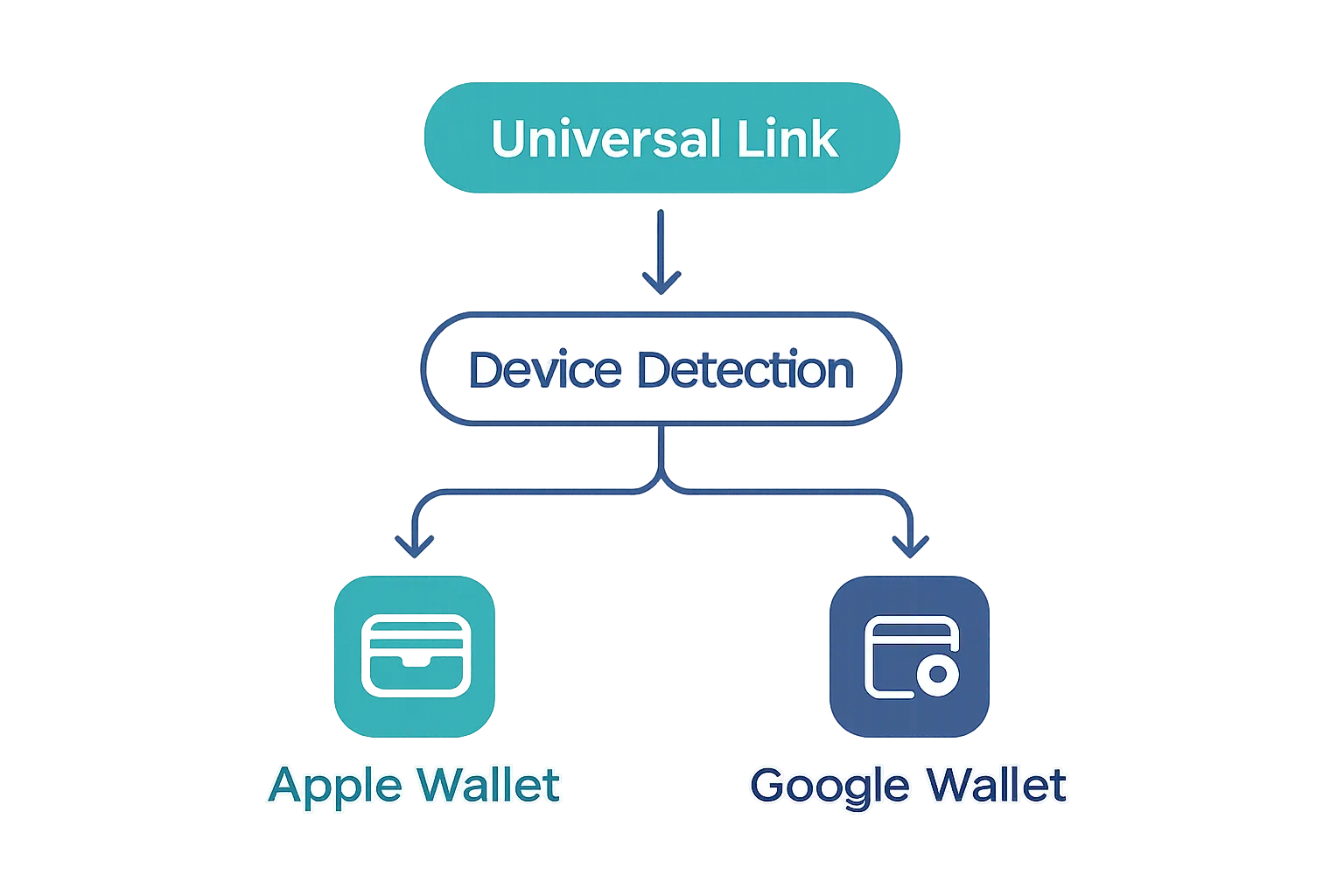
Fast reference: the re‑add approach
Universal add link with device detection
Email/SMS deep links with both buttons
QR code on receipts, kiosks, and signage
Post‑purchase web confirmation pages
Example customer journeys
Loyalty card: customer saves to Apple Wallet in‑store → receives email/SMS with “Save to Google Wallet” for their Android device at home.
Event ticket: checkout page shows both buttons; dynamic updates pushed by issuer regardless of device.
Avoid these misunderstandings
A .pkpass cannot be converted on‑device to a Google pass without the issuer.
Share buttons replicate to the same OS; they don’t cross‑convert.
Brand‑Friendly Workflows to Help Customers Re‑Add Passes Across Ecosystems
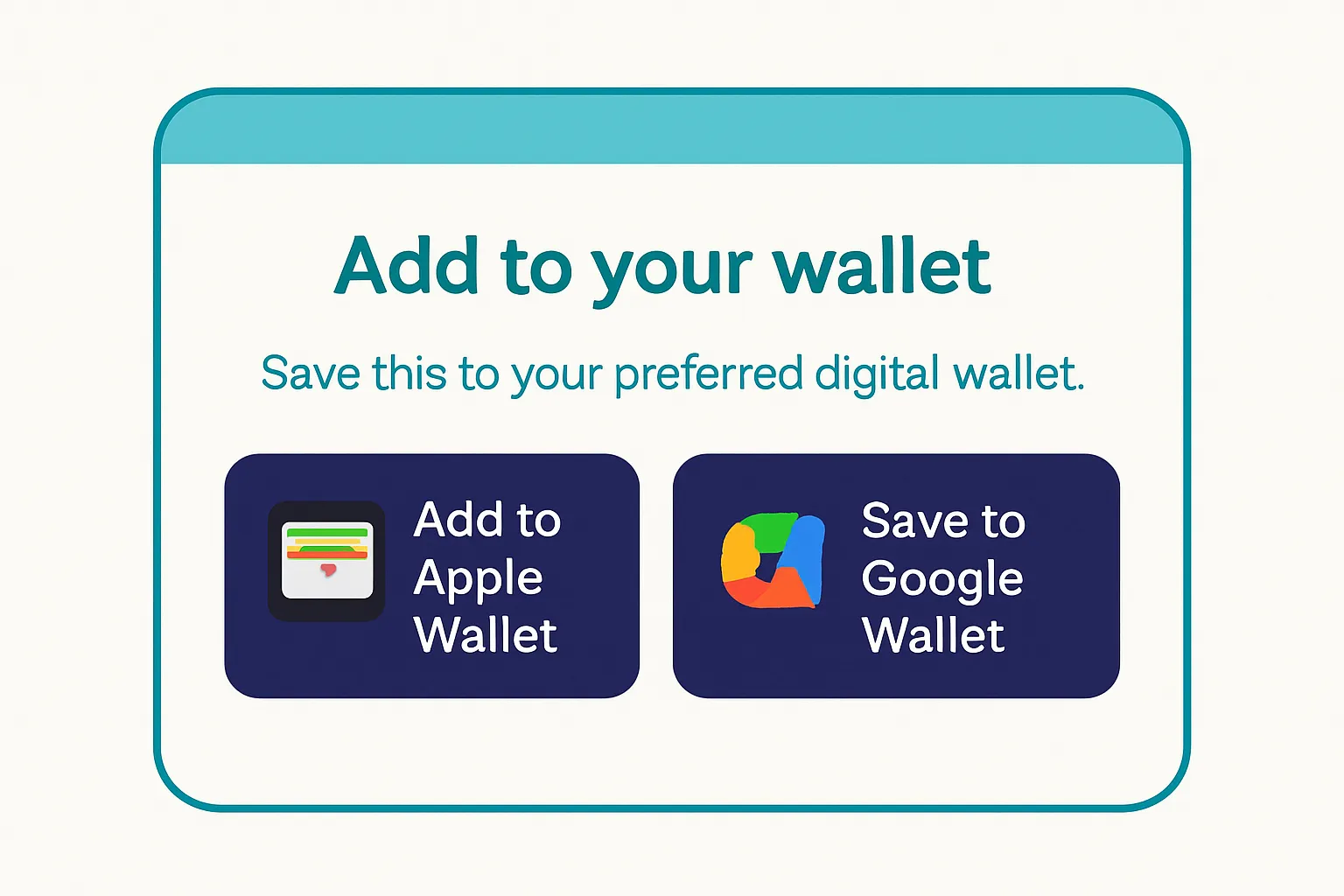
Omnichannel playbook
Email templates: side‑by‑side “Add to Apple Wallet” and “Save to Google Wallet” buttons
SMS/WhatsApp: short link + auto device detection
Web checkout and order‑success pages: persistent wallet buttons
In‑store: QR codes at POS and on receipts
Copy and UX best practices
Clear microcopy: “Using iPhone? Add to Apple Wallet. On Android? Save to Google Wallet.”
Place wallet buttons above the fold; repeat at bottom for long pages.
Include a brief explainer for dynamic updates and redemption.
Compliance and trust
Respect opt‑in; avoid excessive notifications
Link to privacy policy; outline data used on the pass
Channel strategy planner
Channel | Best practice flow | Fallback if OS unknown | Analytics to capture | Sample copy |
|---|---|---|---|---|
Side‑by‑side Apple/Google buttons; UTM tagging; device detection on click | Show a universal link that routes to the correct wallet | Clicks per button, device type, add‑rate, downstream redemptions | “Using iPhone? Add to Apple Wallet. On Android? Save to Google Wallet.” | |
SMS/WhatsApp | Short smart link; pre-header clarifies both options | Send a single universal link; include “Works on iPhone & Android” | CTR, device resolved, add success, time to add | “Tap to save your card - works on iPhone and Android.” |
Web checkout/Order success | Persistent wallet buttons above the fold; duplicate at footer | Universal link if device not detected; tooltip explains both | Button CTR, add completion, bounce, coupon redemption | “Saved your purchase? Add it to your Wallet for easy access and updates.” |
In‑store (POS/signage) | QR code routes to device‑aware landing page | Short vanity URL printed below the code | Scans, device type, add success by location/time | “Scan to add to your Wallet. iPhone or Android - both supported.” |
Receipts | QR + short link; remind about dynamic updates | Direct to a lightweight wallet landing page | Scans, repeat add attempts, redemption linkage | “Don’t lose this - add it to your Wallet for balance and offers.” |
Edge Cases, Limitations, and Breakages You Should Avoid
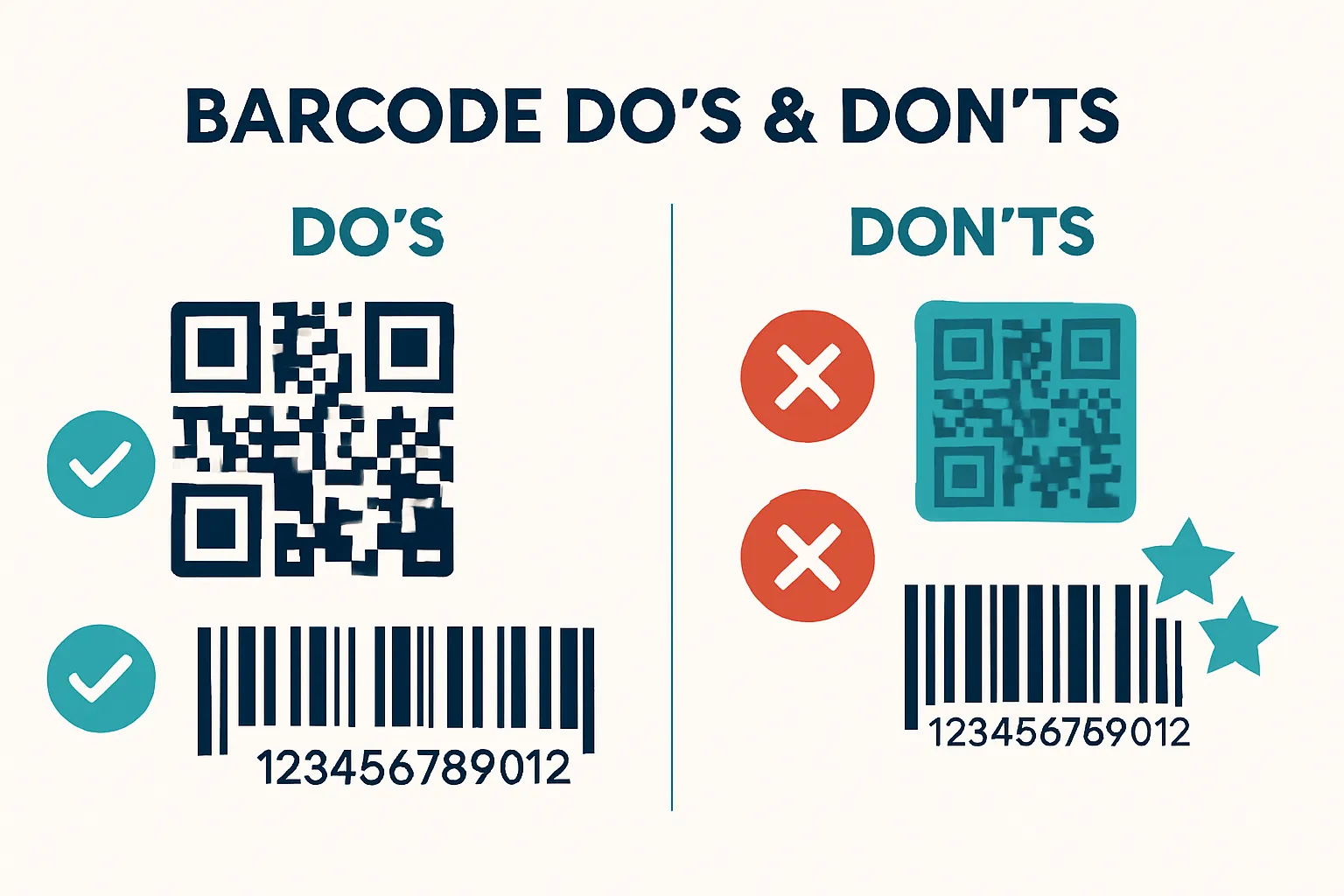
Dynamic and rotating codes
Tickets that rotate tokens may break if users try unofficial converters
Always issue platform‑native passes from your backend
Unsupported content types
Government IDs, keys, and secure credentials are issuer‑locked and typically non‑portable
Design and field parity
Map fields carefully; Apple “back” fields vs Google’s scroll layout
Image ratios and barcode areas differ; test both skins
Risky shortcuts
Third‑party “importers/converters” can strip signing and kill updates
Don’t rely on screenshots; they won’t update or trigger proximity
Security, Privacy, and Policy: Why Direct Transfers Don’t Exist
"Apple Wallet passes are cryptographically signed before distribution, establishing the signer’s identity and assuring the pass hasn’t been modified since signing." - Source
Platform design
Apple: signed .pkpass, Secure Enclave, issuer‑pushed updates
Google: Wallet Objects, cloud + device security, issuer‑managed updates
Policy constraints
Pass issuance and updates are controlled by the brand (issuer)
User devices cannot modify pass payloads or signatures
Sensitive categories
Transit, access control, and ID credentials enforce stricter rules (no conversion)
Takeaway
Re‑add via issuer flows preserves security and updateability while keeping audit trails intact.
Measurement and ROI: Track Wallet‑to‑Wallet Impact
KPIs to monitor
Add rate by OS and channel (email, SMS, QR, web)
Re‑add rate (Apple → Google, Google → Apple)
Active pass rate and redemption rate by platform
Notification view and engagement rate
Revenue lift per pass holder
"Wallet pass notifications have near‑100% deliverability and achieve a 22% click‑through rate, outperforming email CTRs of 1.6–4.4%." - Source Methodology: Loyaltee aggregate program data (2024–2025) aligns with this pattern, with lock‑screen Wallet push notifications averaging 50%+ opens across anonymized, active retail/QSR/services programs.
Analytics instrumentation
Use UTM parameters on universal links
Event webhooks for adds/updates/redemptions
Segment by device model and OS for optimization
Optimization ideas
A/B test button order and copy by traffic source
Time re‑engagement pushes around purchase cycles
Localized proximity triggers near stores or venues
How Loyaltee Makes Cross‑Platform Wallet Programs Easy
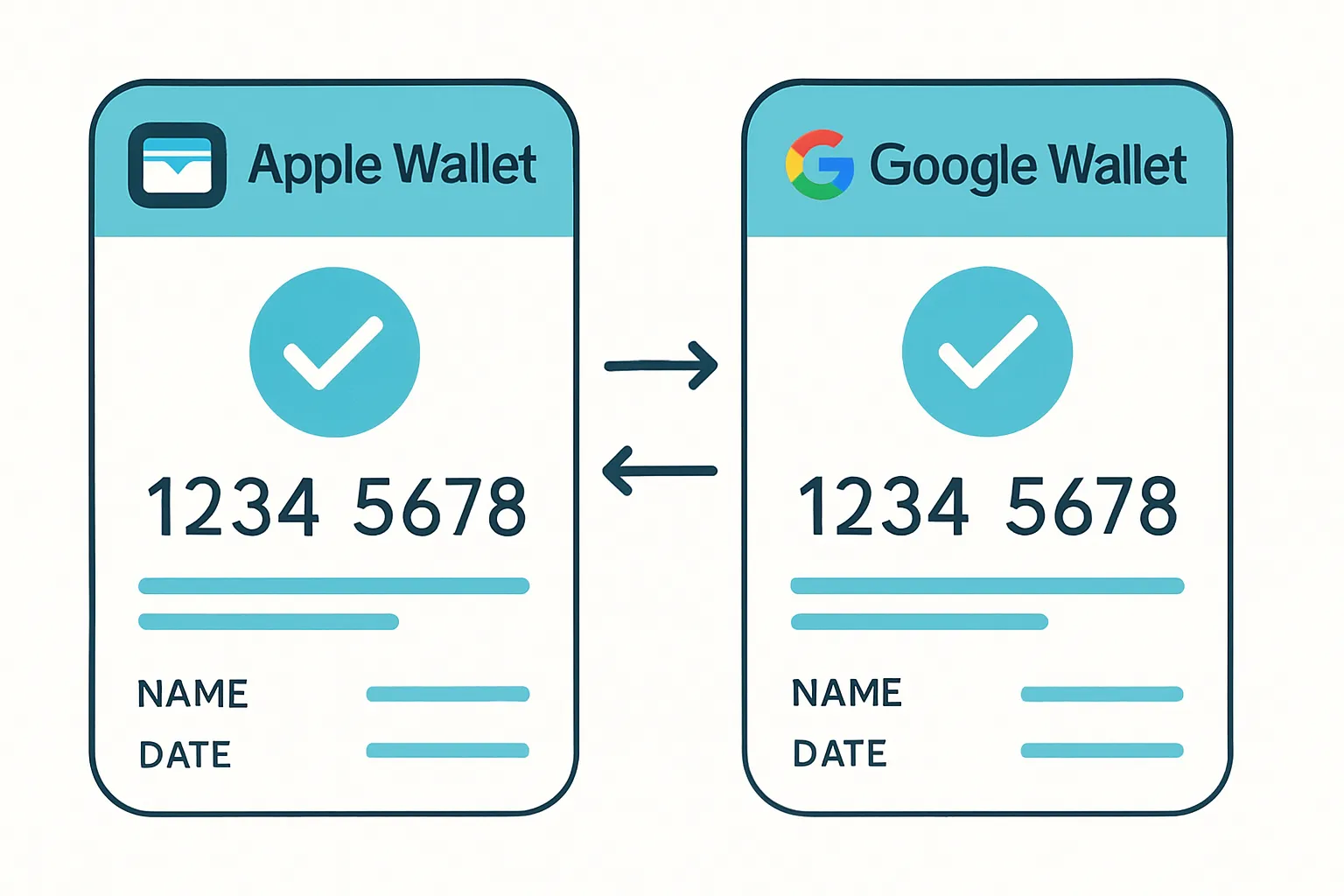
Unified cross‑platform passes
Build Apple Wallet and Google Wallet versions in minutes with brand‑consistent templates
Map fields once; preview both layouts side‑by‑side
Smart universal links and device detection
One link routes to Apple or Google automatically
Works across email, SMS, web, and QR
Real‑time updates and push
Update balances, offers, or event details instantly
Targeted notifications with high engagement
Data, AI, and APIs
REST APIs and webhooks for adds/redemptions
AI‑assisted targeting and message timing
Measurable campaigns with transparent reporting
Implementation blueprint
Step‑by‑step: create class/templates → generate issuer links → embed buttons → go live → iterate with analytics
Migration helper: invite existing Apple users to re‑add on Android (and vice versa) using secure re‑issuance
Proof of impact
Examples: higher repeat visits, bigger basket size, lower friction vs. plastic cards
Where to start
Book a demo or start a trial at loyaltee.xyz (https://loyaltee.xyz/)
FAQ: Apple Wallet to Google Wallet and Google Wallet to Apple Wallet
Can I convert a .pkpass to Google Wallet on my phone?
Not reliably; the issuer must provide a Google Wallet version. Use the brand’s universal link to re‑add.
Can customers share a pass from iPhone to Android?
Share duplicates within the same OS; use the issuer’s universal link to re‑add on the other platform.
Do passes update after re‑adding on another device?
Yes, if the issuer manages both versions and ties them to the same account/ID. Updates then push on both Apple Wallet and Google Wallet.
What about tickets with rotating barcodes?
Always use issuer‑provided native passes; screenshots or converters break updates and may invalidate entry.
Will customers lose history if they switch phones?
If tied to an account/ID, re‑added passes continue to update and redeem normally, preserving balances, entitlements, and status.
Conclusion: Start Using Loyaltee to Streamline Wallet‑to‑Wallet Engagement
The bottom line
In 2025, “wallet to wallet” means fast, secure re‑adds - not file transfers.
Brands win by offering universal links, clear UX, and issuer‑managed updates.
Why Loyaltee
Launch cross‑platform passes in minutes, automate updates, and measure ROI.
Scale from pilot to enterprise with APIs, analytics, and transparent pricing.
Standardize IDs so your loyalty cards, coupons, and tickets stay consistent when customers go from Apple Wallet to Google Wallet (and Google Wallet to Apple Wallet).
Use smart universal links and device detection to remove friction across email, SMS, web, and QR.
Send targeted lock‑screen notifications and dynamic updates that keep passes active and drive redemptions - no app required.
Maintain brand consistency and compliance while unifying data across Google Wallet and Apple Wallet for accurate attribution and reporting.
Next step
See how quickly you can enable Apple Wallet and Google Wallet together. Start a trial or book a demo at https://loyaltee.xyz/.